DoodleCode Studio
What it is
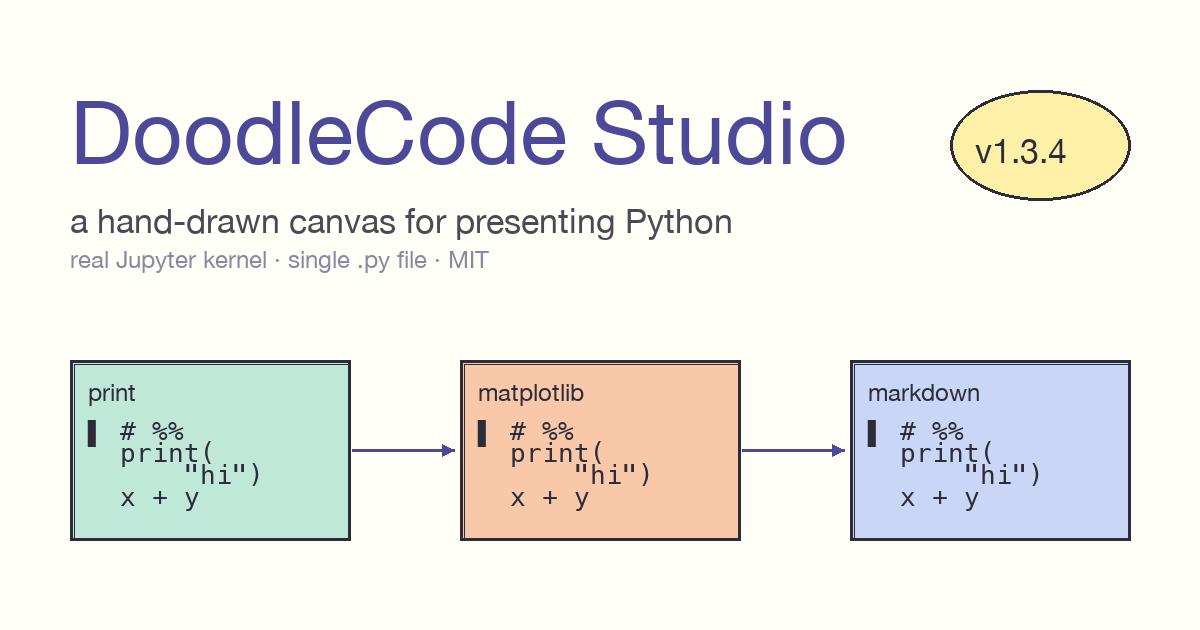
A doodle-powered Python notebook and presentation canvas. Each cell is a hand-drawn card on a 2D surface you can pan and zoom. Cells connect with arrows so execution order is visible. Every card has its own coloured callout bubble for the human-written explanation, sitting beside the code rather than below it.
Built for the in-between case where notebooks are too vertical and slide decks are too dead — workshops, meetups, live tutorials, lightning talks.
Current stable: v1.3.4 (May 2026) · License: MIT · Co-AI Developed
DoodleCode Studio was built in collaboration with AI coding assistants. Product direction, the file-format contract, the canvas / presenter-mode UX, and the architectural decisions are mine. AI accelerated the React Flow + Zustand wiring, the FastAPI ↔︎ jupyter_client integration, and the surrounding TypeScript types and tests. Calling it out up front because being explicit about how these tools are used is part of how I want to ship work.
Why it exists
Jupyter notebooks are great for working and terrible for presenting. Everything scrolls vertically, there’s no room for explanation beside code, and you can’t switch from “let me run this” to “let me draw on it” without leaving the tool. Slide decks fix the visual problem but kill live execution. DoodleCode Studio is the canvas-shaped middle ground.
Key features
- Live Python via a real Jupyter kernel.
pip installworks inside the app;matplotlibrenders inline; rich display hooks are unchanged. - Hand-drawn cards on a pannable canvas. Powered by React Flow.
- User-authored callout bubbles — explicitly not AI-generated. The author writes the explanation; the tool just renders it beautifully.
- Presenter mode. Arrow keys advance cards. Pen (red, fades ~1.4s) and highlighter (yellow, fades ~4s) for annotations during a talk. Full-screen with auto-hiding chrome.
- Three tools: Cursor / Hand / Move — single-keypress switching.
- Auto-Space mode — each cell snaps to a fixed slide-height so it fills the viewport when projected.
- Dark mode with an Excalidraw-inspired palette tuned for projector contrast.
- Four font themes — Doodle / Professional / Serif / Mono.
- A− / A+ font-size control next to the Design picker.
- Per-cell Delete with chain reconnection — delete card 3 from
1→2→3→4→5and the chain becomes1→2→4→5immediately, no broken arrows. - Edit Logo modal — replace the logo emoji and author byline with your own, persisted in localStorage.
- Single-port production deployment.
File format
A DoodleCode notebook is a single .py file. No sidecar JSON, no .ipynb, no metadata directory. The whole notebook — code, markdown, multiple callouts per cell, embedded images as data URLs — round-trips byte-stable through one Python file. Git diffs are readable. You can edit the file in VS Code without losing canvas state.
Cell header convention is the same VS Code “Jupyter-percent” format (# %%), extended with canvas metadata and callout directives.
# %% color=mint title="Print + Arithmetic"
# @explain: The simplest possible Python — print + math.
print("Hello from DoodleCode!")
a, b = 7, 5
print("a * b =", a * b)
Markdown cells work the same way, with images embedded inline:
# %% [markdown] color=peach title="Markdown + Images"
# # Markdown can carry images
# 
# Combine with bullets, code spans, headings in the same card.Tech stack
Backend
- FastAPI · uvicorn
jupyter_client+ipykernel— kernel pool keyed bysession_id- pydantic 2.x models
- Python 3.9 – 3.12
Frontend
- React 18 · Vite · TypeScript (strict mode)
- Zustand — single source of truth store
- React Flow — pannable canvas
- Monaco editor inside code cells
- Tailwind CSS — small Excalidraw-inspired palette
Deployment
./start.shbuilds the React UI once and serves the UI + API from a single port (http://localhost:8000). Nonpm run devrequired for end users../start.sh --devkeeps the hot-reload flow for contributors.
Quality bar
Every PR runs:
ruffclean- 94 backend pytest pass
- TypeScript strict typecheck clean
- 40 frontend vitest pass
- Vite production build succeeds
Try it
git clone https://github.com/kader-xai/doodlecode-studio.git
cd doodlecode-studio
./start.sh
Open http://localhost:8000. First run takes ~30 seconds to build the UI; subsequent runs are instant.
Links
- 💻 Repo: github.com/kader-xai/doodlecode-studio
- 📝 Blog write-up: DoodleCode Studio — a hand-drawn canvas for presenting Python
- 🎥 YouTube walkthrough: youtu.be/PleOlbOs7tA
- 👥 Meetup: Machine Learning Group Riyadh
- 📜 License: MIT